Asustor AS5402T long-term review

Explore More
 ■ Asustor
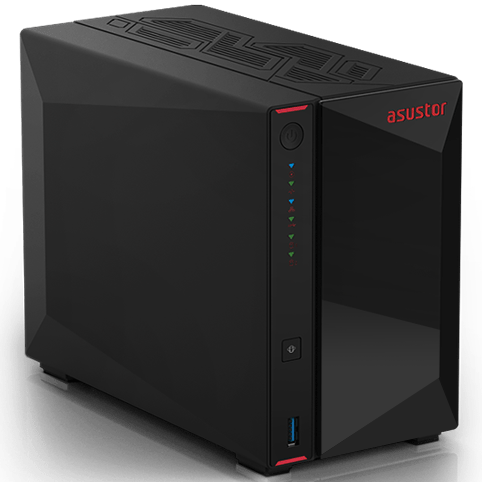
I’ve been looking to upgrade my NAS (Network Attached Storage), as the current one I own is running out of space. To be honest, my previous NAS is not really a true NAS, as it has a non-removeable hard drive and is just very limited to what it can do. So I’ve been looking for the perfect NAS, and after many hours of looking, I’ve decided to get the latest Asustor AS5402T (a company related to Asus). The 5402T is a two-bay NAS, plus four m.2…
The best-selling NAS (Network Attached Storage) product Asustor’s AS5402T was among some of PC Mag’s “Best NAS of 2026” and “Editor’s Choice”, via their press release. It’s great to see that the now-three-year-old product is still among the best being sold today, beating out Synology and QNAP. I didn’t get a hold of the AS5402T until April 2024, and I would agree it’s a really, really nice product that offers several upgrade paths and options.
Originally when I decided to upgrade my previous NAS, it was to upgrade the storage, because my original storage was non-upgradeable. When I was doing research, I knew I wanted to get something that I can add more storage as needed… and something with an HDMI output – so basically you can play movies right from the NAS drive to the TV! Unfortunately, I never used that option, because it was just easier to watch movies from my Xbox or Apple TV streaming from the NAS… thanks to the speedy Dual 2.5-Gigabit Ethernet ports.
While the majority of storage will be provided by the two traditional spinning hard drives, Asustor was forward-thinking enough to also provide four additional M.2 Flash NVMe SSD bays. Unfortunately, Flash memory (even worst in today’s climate) was, and is, and will be way more expensive than traditional spinning drives. For example, 1TB of NVMe will set you back $100 to $300 (depending on speed and brand name).
When I first got the AS5402T in 2024, I immediately installed a 16TB Toshiba Hard Drive… and then tried to open the drive to see if I can put in an NVMe. At the time, I was still brand new to the device and had no idea what I was doing. I tried to unscrew these tiny screws, that was actually NEVER meant to be touched. I didn’t realize that all I had to do was take out the two HDD bays. Once you remove them, it unlocks the side door and you can just easily slide it right and up to reveal the four m.2 bays.
I only just figure this out, because I had a power outage due to extreme heat in my city. For some reasons, the sudden power cut rendered the AS5402T from turning on. I honestly freaked out. I thought the power outage killed the Asustor. Reading Asustor’s troubleshooting online, they say I should remove the CMOS battery, and then put back the battery.
Having now opened the AS5402T three times, it is just so simple! Just remove two screws in the back. Remove the HDD drives (this is the key). Slide the side panel out, and voila, you’re looking inside the AS5402T. Then you need to remove four additional screws to remove the metal bracket to gain access to the RAM (which is upgradable). It comes with 4 GB of DDR4-2933 RAM standard, but you can upgrade to 16 GB officially. I immediately see the round CMOS battery (it looks like a watch battery). I took it out and then put it back in.
AS5402T is working fine now, and since then I installed two 1TB NVME drives. It was really easy to do, thanks to the clip system that holds the NVMe in place without the usage of a tiny screw. It’s so sad, but I only added 2TB to my existing 30TB NAS, plus 20TB of external HD (attached to the NAS). It’s a small drop in the grand scheme of things, so I’ll be using the NVMe drives as sort of a temporary drive. I’ve dumping backup photos from 2026 (860GB) to the drive and it looks like it’ll take 23 hours to do this. Once it’s on the temp drive, I can scrub it some more and only keep good photos to my main photo drive on the NAS (which will be “instant”-ish). What is kind of cool is that the two 1TB drives (totally different brands and speed) are combined together as RAID 0, so it appears as one drive. In the future, when NVMe is cheaper, I wouldn’t mind getting a larger size and fill up the remaining 2 open m.2 bays.
My usage of the AS5402T has changed over the course of using it for two years now. At first, I was only using it to store my movie rips from Bluray and DVD so I can watch it anywhere using Jellyfin as the movie server. Jellyfin is pretty amazing, for being free (the same product Plex wants to charge you $749.99 for a lifetime pass).
Then last year, I started mapping network drives to the NAS to easily back up documents and photos. I think my next move is to automate the backup process, but for now, I don’t mind saving valuable documents and photos to my own personal NAS, especially when all I’m doing and dragging-and-dropping a file to a folder on my mapped drive.
So long as I’m within my same local network, I can access my files from any device that’s connected to the network. My next plan is “tunneling” in from outside my network to backup files to my personal NAS. How I’m doing this is using Tailscale, which is running on my Asustor. I actually have not tested this out in the real world, but I don’t think it should be a problem if I had to connect in a pinch. Just as long as there’s no power outage at the house – it should work!
So, yeah having used AS5402T for two years now, I can think of this as something of a long-term review. Over the two years, the AS5402T never gave me any issues. It has cooling built in to keep the drive cool, it’s always online, serving files whenever I needed it. It’s been really reliable – with that one-time exception of a power outage that left the system unable to power up. So, eventually, what I need to get is a good UPS (Uninterrupted Power Supply). I know for a good one, it’ll be expensive, but I think what I really need is something to keep the machine running for 15 minutes so I can properly power it down. I have to do more research on UPS later… that’s a project for another time.




1 thought on “Asustor AS5402T long-term review”